HIDDEN · skipped when presenting
GRADE 7 · 071DITA · UNIT 2 · ROOM IG04
Lines, Squares and Your Course

Mr Igor · Build and Code a Racing Car · Week 6 Lesson 1

  • Walk in A to Z by first name, and sit down.
  • Bags away, name on your Student Sheet.
  • Start the Do Now. Nobody waits for me.

// line_order (A to Z by first name)

  • Abdallah Alkandari
  • Abdulla Alowais
  • Adam Alobeidyeen
  • Adam Elsheikh
  • Ali Alrobari
  • Ali Mahmoud
  • Ali Mohsini
  • Faisal Almaazmi
  • Faisal Ghalib
  • Hasan Sidiqi
  • Mansoor Alzarooni
  • Mayed Dawood
  • Mohammed Ahmed Alkaabi
  • Muhammad Hamdan
  • Nasser Al-ali
  • Saqer Alqasimi
  • Syed Muhammad Ali
  • Yousif Alhammadi
  • Yusuf Tohirov
  • Zayed Alkaabi

CODE: 2coon676 ▶ open Google Classroom

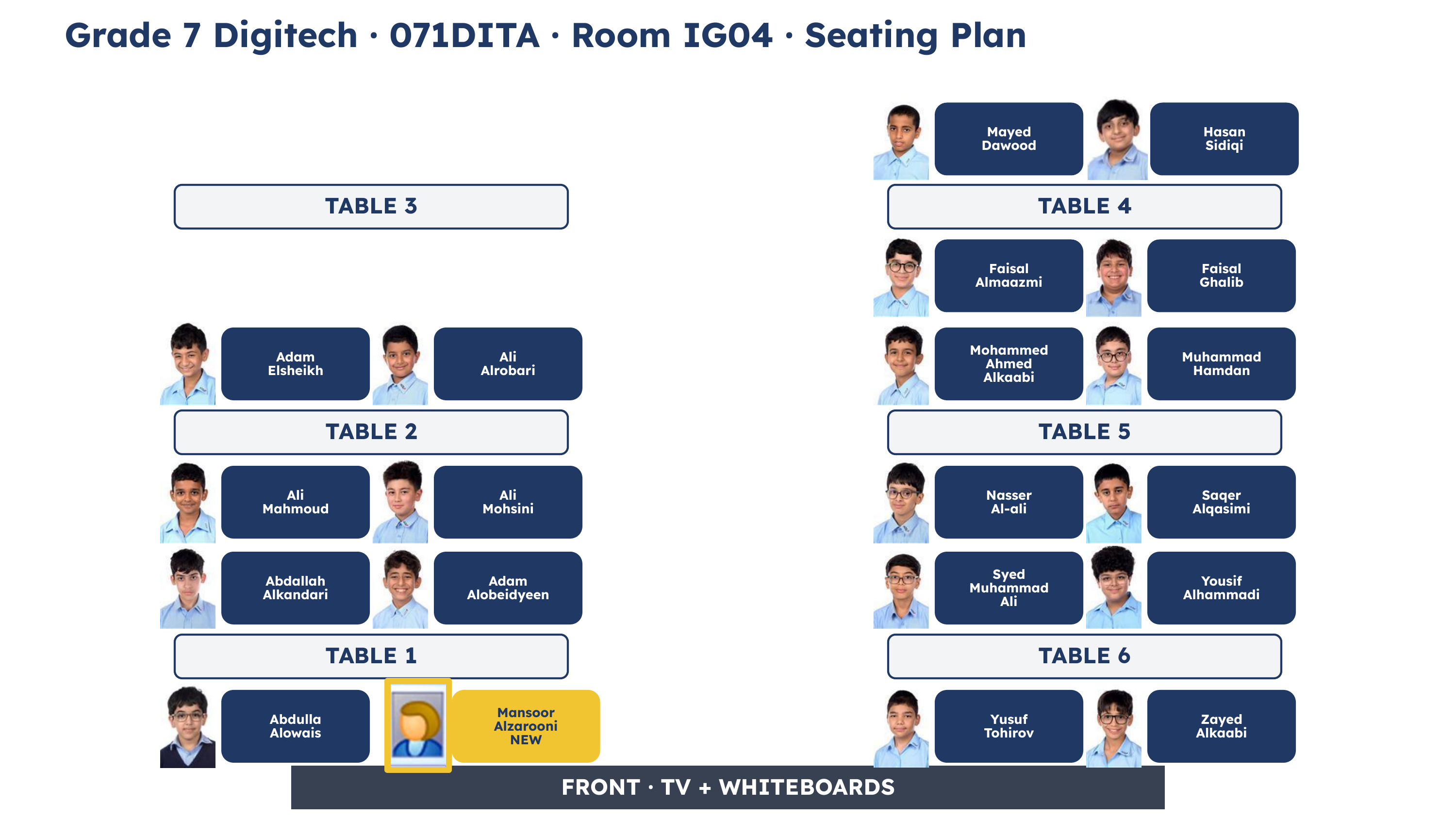
Seating plan for 071DITA in room IG04: tables 1, 2, 4, 5 and 6, with a photograph and the full name of every student sitting there

same tables as last lesson · find yours as you walk in
// today

What are we doing today?

Lesson 1

Lines. Drive your line, there and back.

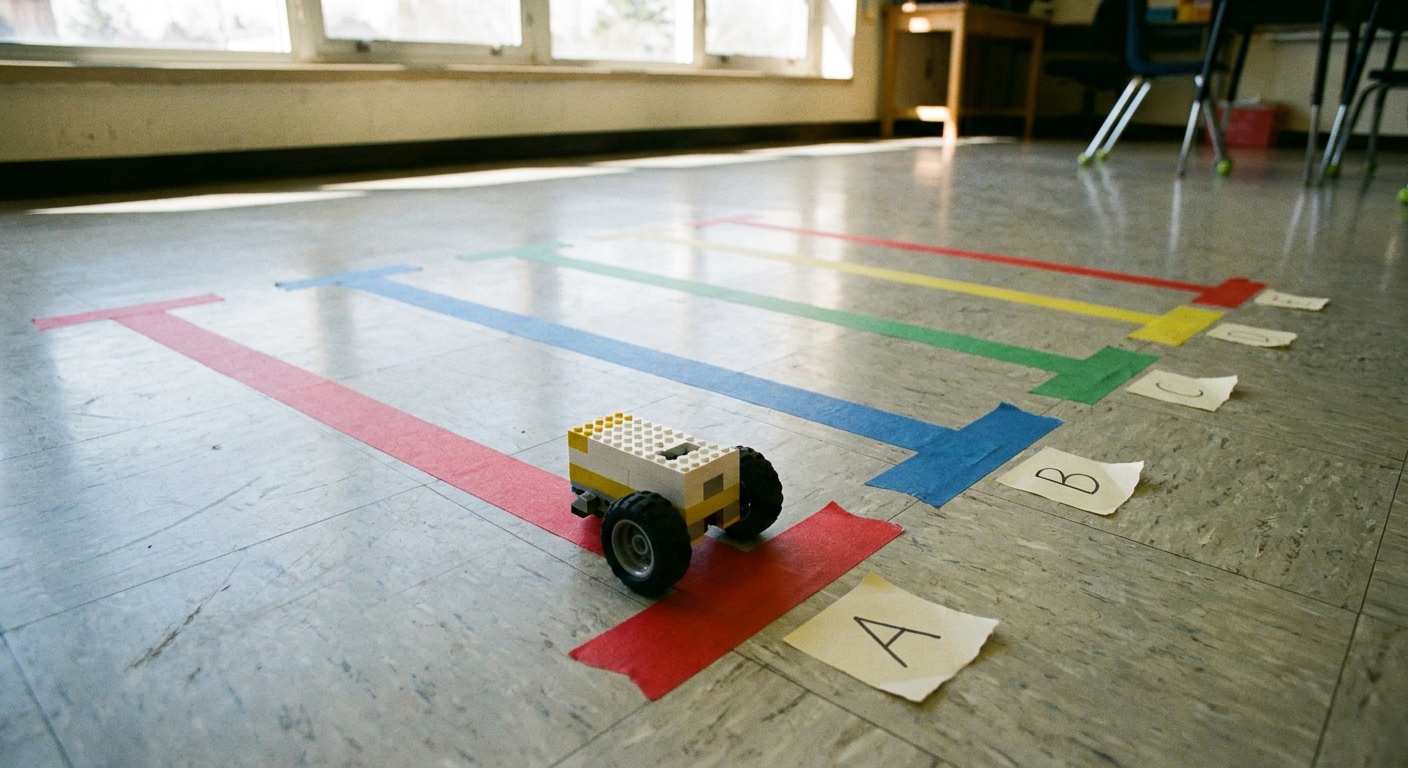
Straight strips of coloured tape of different lengths on a classroom floor, each with a lettered paper label, and a small robot car at the start of one of them

Lesson 2

Square. Four sides, four turns, back where you started.

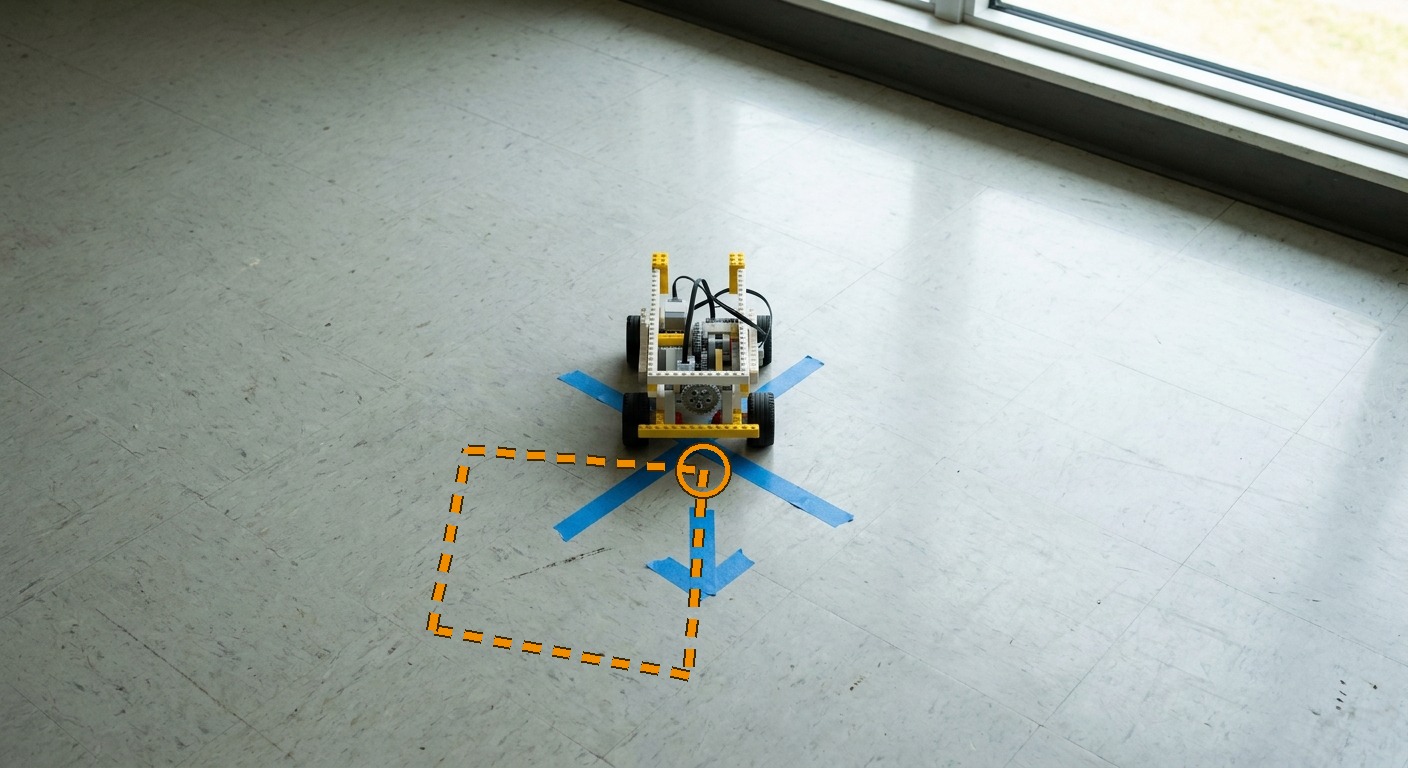
A taped cross on an open classroom floor with a short tape arrow in front of it, a small robot car sitting on the cross facing along the arrow, and a dotted orange square drawn over the picture that leaves the cross, runs along the arrow, turns four corners and comes back to it

Lesson 3

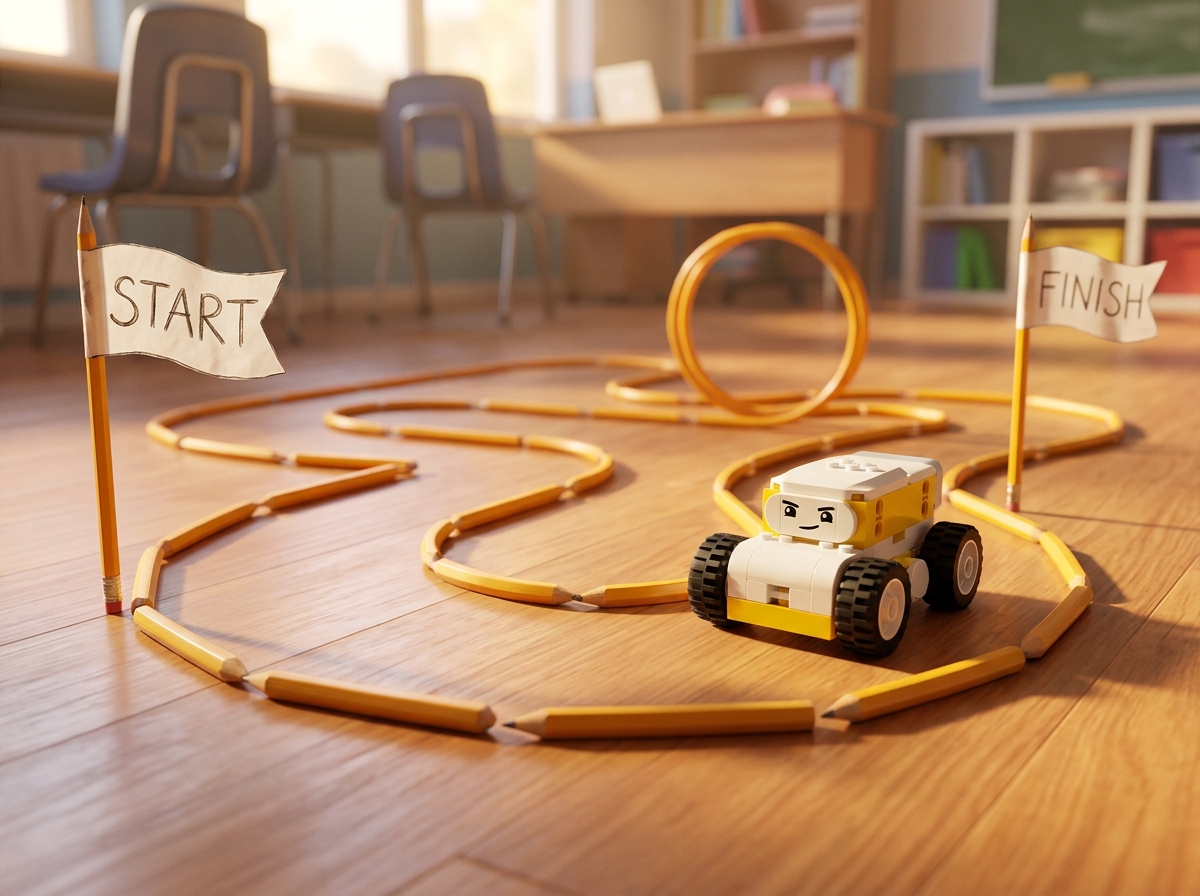
Your own course. Lay it out, code it, test it.

Coloured tape lines on a classroom floor with a small robot car sitting on one of them, ready to follow a course

Press the Overview button at the bottom left at any time to see this plan again.

// do_now

Do Now

▶ Challenge 2 Support - Coding tutorials ▶ Student Sheet in Google Slides Headphones on.

Hint Challenge

// what_we_are_learning

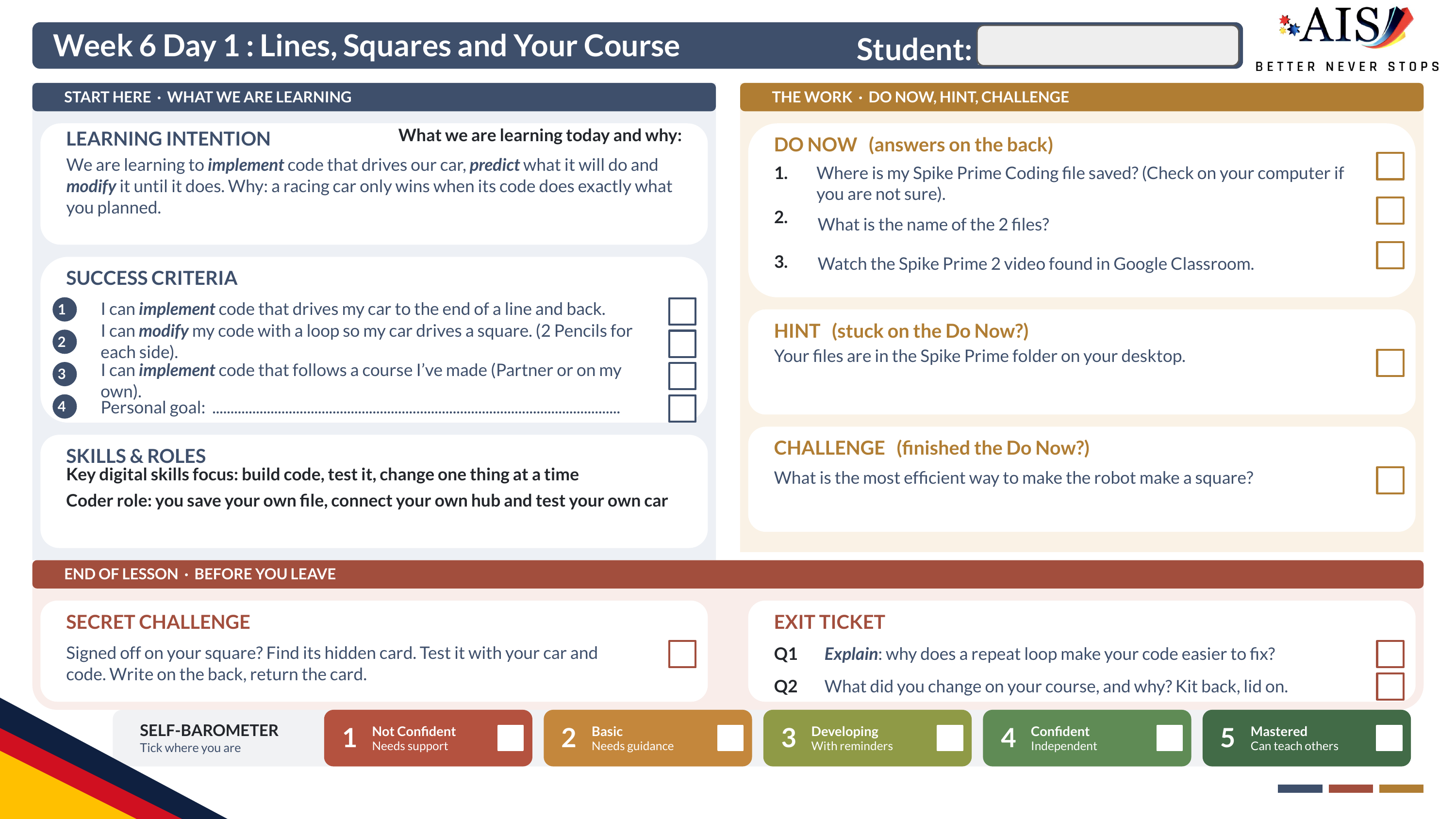
What we are learning today

Success criteria Personal goal

// your_role · before_anyone_stands

Your car, your code, your job

// kits_out_and_connect

Kits out and connect

▶ Spike Prime Access Link ▶ the SPIKE online app

Table 1

Abdallah Alkandarikit 7Abdulla Alowaiskit 6Adam Alobeidyeenkit 12NMansoor Alzaroonikit 10

Table 2

Adam Elsheikhkit 1Ali Alrobarikit 3Ali Mahmoudkit 18Ali Mohsinikit 5

Table 4

Faisal Almaazmikit 13Faisal Ghalibkit 8Hasan Sidiqikit 20Mayed Dawoodkit 14

Table 5

Mohammed Ahmed Alkaabikit 15Muhammad Hamdankit 2Nasser Al-alikit 11Saqer Alqasimikit 16

Table 6

Syed Muhammad Alikit 12Yousif Alhammadikit 4Yusuf Tohirovkit 9Zayed Alkaabikit 17

// lesson_1 · lines

Lines: a quick reminder

▶ Challenge 2: Coding (your Doc) ▶ the SPIKE online app Mr Igor shows the code on the board first. Then everyone drives a line.

// the_code_in_short

  • when program starts
  • set movement motors to your two ports
  • move forward in cm or rotations, your choice
  • stop moving
  • move backward, then stop moving

// your_job

  • Pick a lettered tape line. No length is written on any of them.
  • Drive from the start tape to the end tape, and back.
  • Test. Change one thing. Test again.
  • Pass: the front of the car stops on the end tape and comes back to the start tape. Mr Igor records your line.

// brain_break

Heads or Tails

hands off the cars   The cars are on the floor: stand clear of them.

  • Everyone stands up in the middle of the room.
  • The teacher says, “Choose heads or tails!” Students show their guess using an action: Heads, hands on your head, or Tails, hands on your hips.
  • The teacher flips the coin, either using a real coin, or by scanning the QR code and flipping virtually.
  • The teacher calls out the result (for example “Tails!”).
  • Students who guessed wrong sit down.
  • The rest stay standing and get ready for the next round.
  • Keep playing until only one student is left standing: they are the winner!

Back in your seat when the timer ends. Cars stay where they are.

Mr Igor flips the coin on this slide: no QR code, no phone.

// lesson_2 · loops_and_turning

Loops and turning

  • One side is a move block, set to seconds.
  • One corner is a Motors block that runs ONE of your drive motors on its own. One wheel turning swings the car round.
  • A repeat loop wraps the side and the corner together, so you build the pair once and the car drives it again and again.
  • The video you watched leaves its loop on 10 and never runs it. How many repeats make a square is yours to work out.
  • Slower turns tidier. set movement speed to 50 % before you start.
  • Mark your square with pencils: 2 pencils for each side.
A taped cross on an open classroom floor with a short tape arrow in front of it, a small robot car sitting on the cross facing along the arrow, and a dotted orange square drawn over the picture that leaves the cross, runs along the arrow, turns four corners and comes back to it

four sides, four corners, back to where you started

// lesson_2 · your_job

A true square

▶ Challenge 2: Coding (your Doc) ▶ Challenge 2 Support - Coding tutorials

  • Mark the sides of your square on the floor with pencils: 2 pencils for each side.
  • Build the pair once, test one side and one turn, then put the pair in a repeat loop. How many repeats make a square?
  • Pass: four sides, four turns, and the car finishes back at its start, pointing the same way. Mr Igor records your square.
  • One rotation of one wheel will not be an exact corner. Change one number at a time until it is.
A taped cross on an open classroom floor with a short tape arrow in front of it, a small robot car sitting on the cross facing along the arrow, and a dotted orange square drawn over the picture that leaves the cross, runs along the arrow, turns four corners and comes back to it

finish where you started · tap for it big

// turn_and_talk · timed_pair_share

Turn and Talk: explain your choice

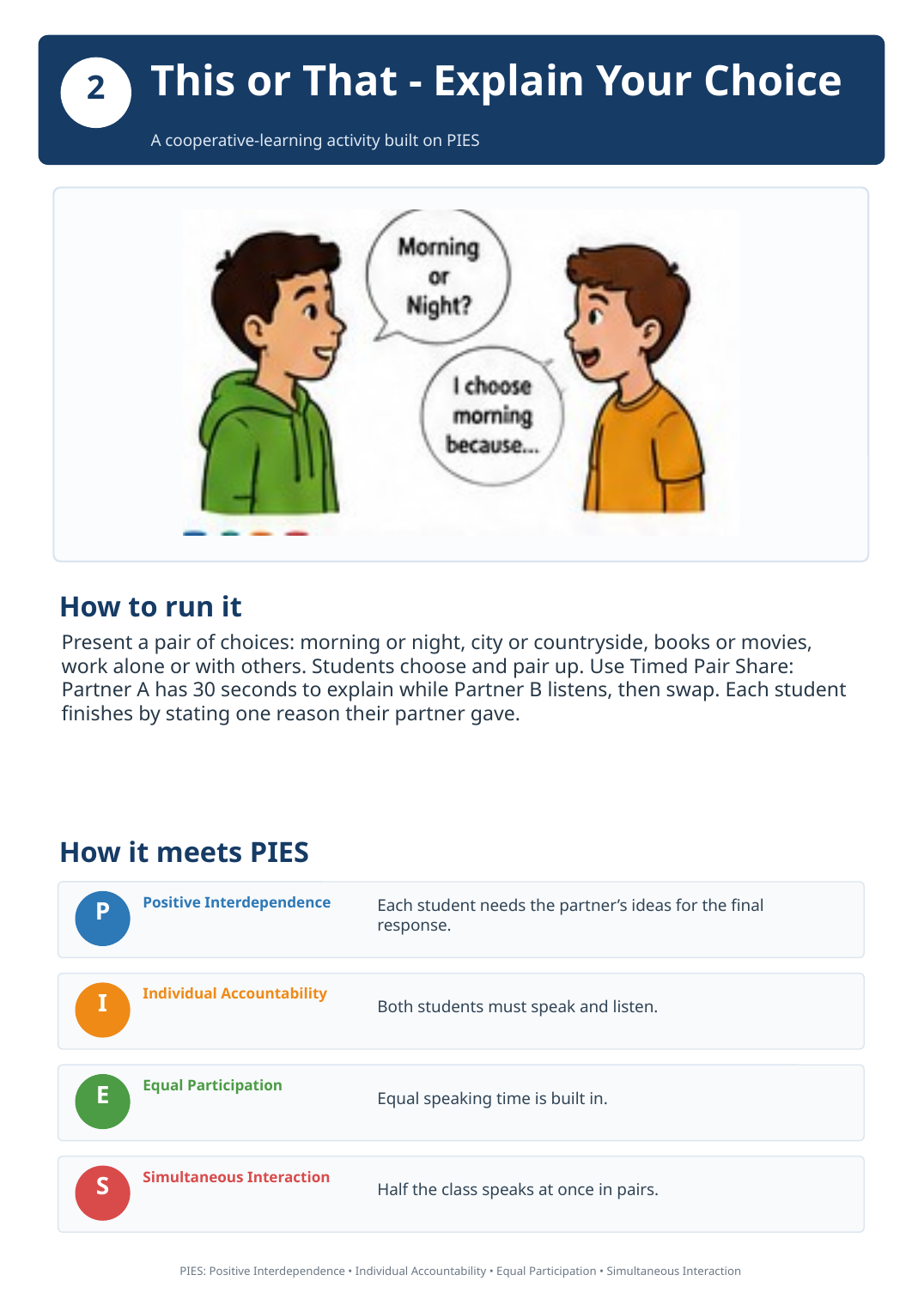
Your corner was not a true corner. Change the turn number, or change the speed? Choose one and explain your choice.

  • Back to your table. Your partner is the person who sits beside you.
  • Who talks first: whoever has the lower kit number.
  • 30 seconds each. Swap when Mr Igor says “Swap”.
  • Finish by stating one reason your partner gave.
  • Then Mr Igor Cold Calls two pairs and asks for their partner's reason. Hands stay down.
Poster 2, This or That, Explain Your Choice: partner A has 30 seconds to explain while partner B listens, then they swap, and each finishes by stating one reason their partner gave

Poster 2: Explain Your Choice, 30 seconds each

// brain_break

Four Corners

hands off the cars   No talking while you choose.

  • Each corner of the room has a card suit symbol: Spades, Hearts, Diamonds, Clubs.
  • Everyone quietly chooses a corner to stand in.
  • The teacher draws a card, either from a deck of cards, or by scanning the QR code to use an online card drawing app.
  • The teacher announces the suit on the card (for example “Clubs!”).
  • Everyone standing in that corner is out and must sit down.
  • The rest of the students choose a new corner for the next round.
  • Keep playing until only one student is left: they are the winner!

Back in your seat when the timer ends. Cars stay where they are.

Mr Igor draws the card on this slide: no pack, no phone.

// lesson_3 · your_own_course

Build your own course

▶ Challenge 2: Coding (your Doc) ▶ Challenge 2 Support - Coding tutorials ▶ the SPIKE online app On your own, or with a partner.

  • Lay out a course on the floor using pencils.
  • Code one robot, or two robots, to follow your course from start to finish and stop where it should. It can go in a loop.
  • Use degrees to turn at angles that are not right angles.
  • You can take it outside if Mr Igor says yes.
  • Test. Change one thing. Test again.
  • Show Mr Igor when it finishes where it should.
Coloured tape lines on a classroom floor with a small robot car sitting on one of them, ready to follow a course

your course, your code

// lesson_3 · finished

Finished? Secret Challenge

▶ Challenge 2: Coding (your Doc) ▶ Student Sheet in Google Slides

Your course still running? Keep going.

// save · pack_up

Save and pack up

▶ Challenge 2: Coding (your Doc)

  • Save your file into your Spike Prime folder.
  • Paste a screenshot of your code into your Challenge 2 Doc.
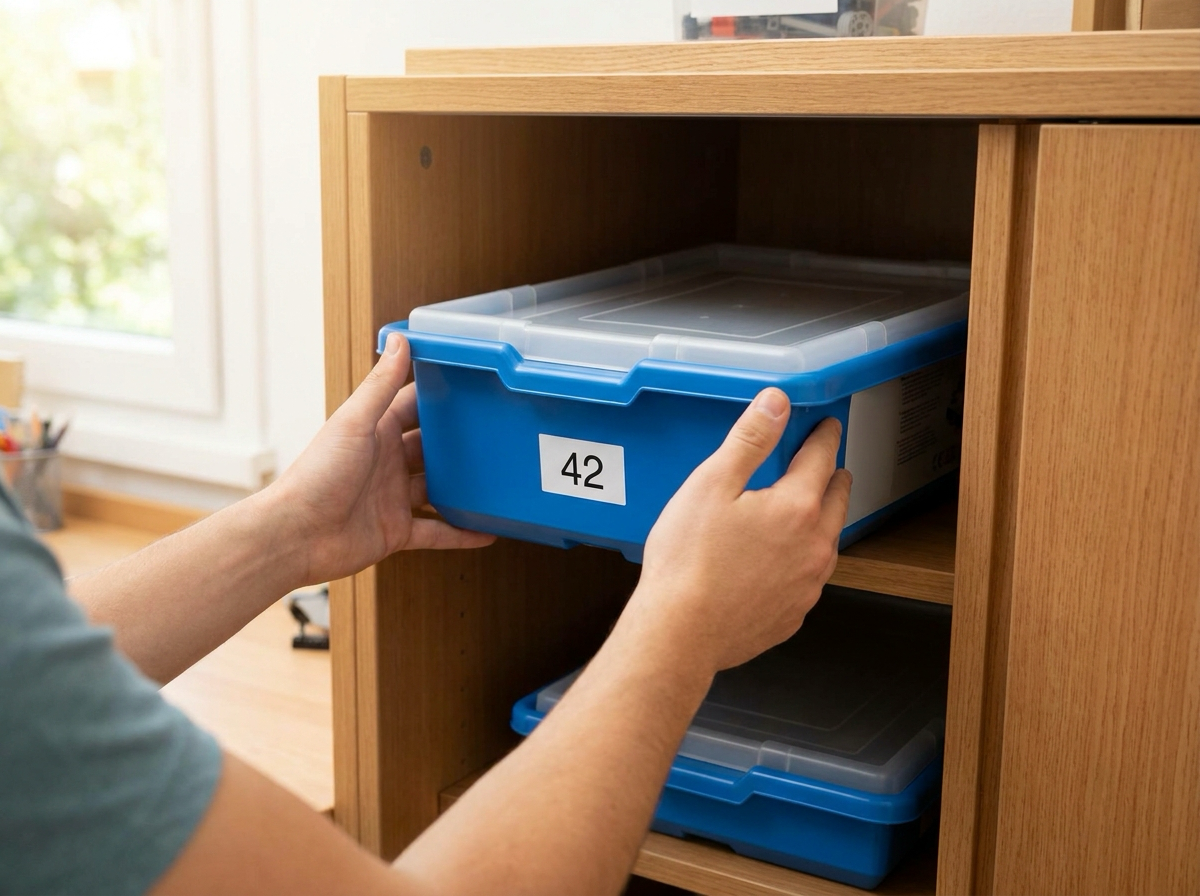
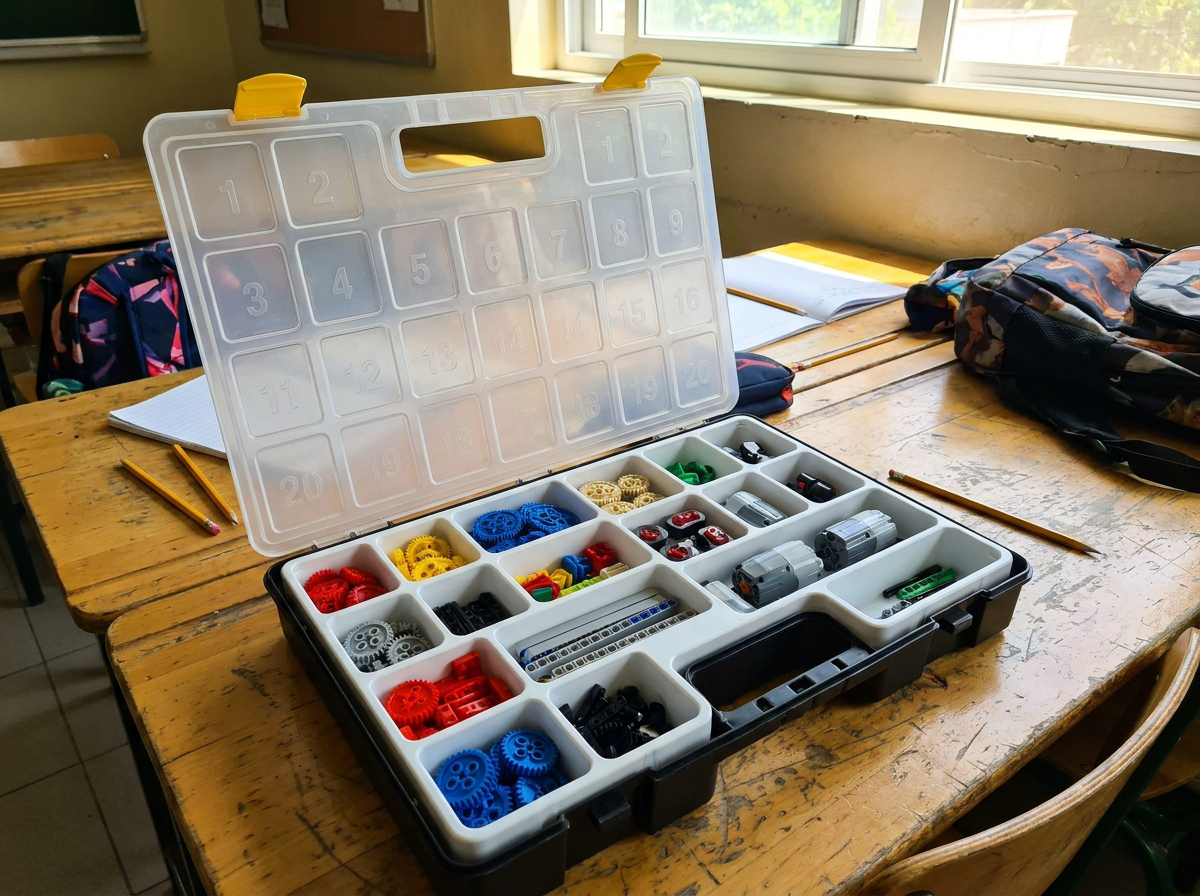
  • Kit back, lid on: every piece in, lid on, kit back to its numbered spot in the cupboard.

Stay at your table until Mr Igor has checked your kit. Then your table's collector takes the kits back when your table is called.

A closed numbered robotics kit box going back onto a cupboard shelf

lid on, back to its number

// reflection

Look back at today

Exit Ticket: both questions Tick your success criteria and your goal Self-Barometer

// exit

Sheet in the tray, chairs in, line up

  • File saved. In your Spike Prime folder.
  • Kit checked at your table by Mr Igor. Every piece in, lid on.
  • Your Student Sheet goes in the tray.
  • Chairs in, desks back to pairs, line up.
A numbered robotics kit box with its lid open on a school table

every piece in, lid on

// notes_for_next_lesson

Notes for next lesson

Saves as you type. With the sync store on it reaches your other machine as well; ⌘S still saves a copy of the deck with these notes in it.

N notes · S picture big · C picker · H hide · E edit · ⌘S save copy
100%

// overview

Lines, Squares and Your Course

Tap a card to see its slides. Tap a slide to open it, then NEXT carries on.